> For the complete documentation index, see [llms.txt](https://ricetheme.gitbook.io/felan-freelance-marketplace-and-job-board-wp/llms.txt). Markdown versions of documentation pages are available by appending `.md` to page URLs; this page is available as [Markdown](https://ricetheme.gitbook.io/felan-freelance-marketplace-and-job-board-wp/faqs/how-to-enable-disable-the-top-bar.md).
# How to enable/disable the top bar
In Felan, there are 2 ways to enable or disable the top bar
In the Felan theme, there are 2 ways to display the top bar and 2 ways to enable or disable the top bar.
**1st way**: With a case, you want to display the top bar **on all pages of your site**. Please go to **Edit Page** -> **Page Header** -> **Turn on Show Top Bar** -> **Update**
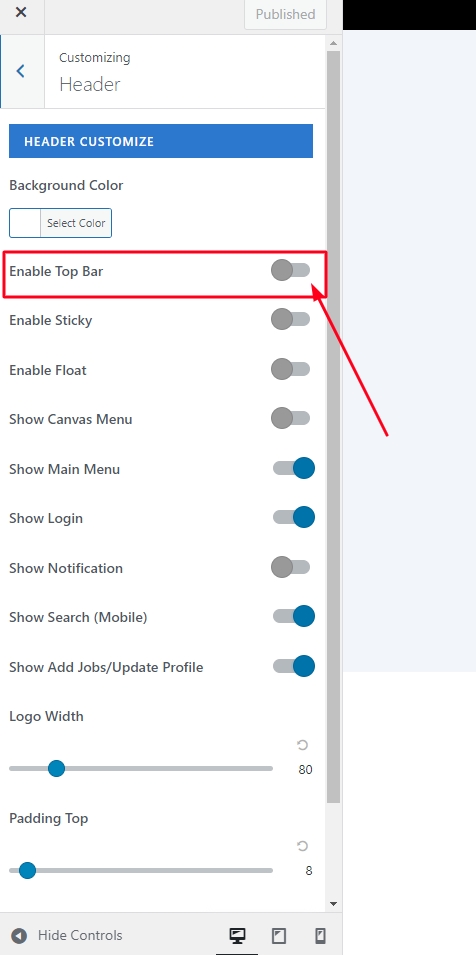
2nd way: With a case, you just want to display a top bar **on 1 page or some pages**. Please select **Customize** on the page you want to show the top bar -> **Header** -> Select **Enable Top Bar** -> **Publish.**